


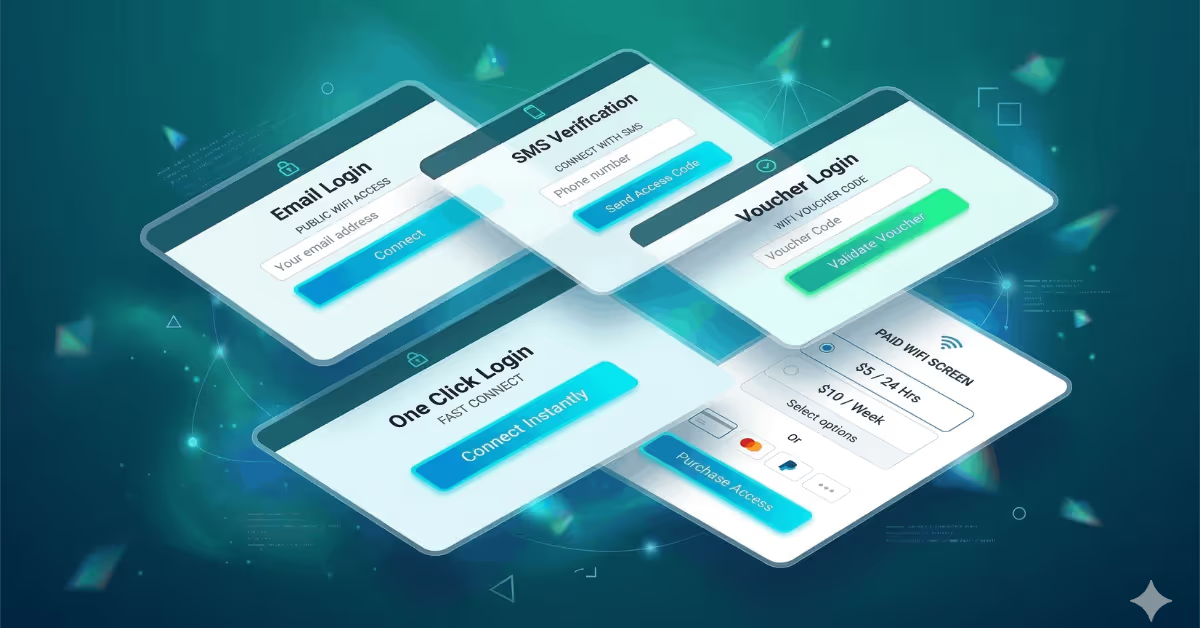
TL;DR: 10 more WiFi splash page examples for business types we missed in Part 1: coworking spaces, gyms, medical clinics, retail stores, airports, senior living facilities, libraries, event venues, campgrounds, and car dealerships. Not every captive portal is about collecting emails. Some are access control tools, some generate revenue, and some shouldn't collect any data at all.
What should a gym's WiFi login page look like? What about a medical clinic, a library, or a campground that charges for internet access?
Our first splash page design guide covered cafes, hotels, restaurants, and bars, mostly focused on email collection. Since publishing, we heard from businesses where email capture isn't the goal at all: coworking spaces that want company names, gyms that need phone verification, clinics where collecting personal data would be inappropriate, and campgrounds selling WiFi by the hour.
These 10 captive portal examples cover what we missed. Same approach: real design decisions from real use cases, redesigned to protect brands.
10 More WiFi Splash Page Design Examples
Example 1: Coworking Space

Collects: Email, first name, company name
Background: Clean minimal workspace photography
Why this works: Coworking spaces build communities, fill event seats, and convert day-pass users into monthly members. The company name field is the differentiator. It tells you whether WiFi users are freelancers, startup teams, or enterprise remote workers, and each group gets a different follow-up.
Key takeaway: Add a company name field when understanding who your visitors work for matters as much as who they are. One extra field transforms generic emails into qualified business leads.
Example 2: Gym / Fitness Center
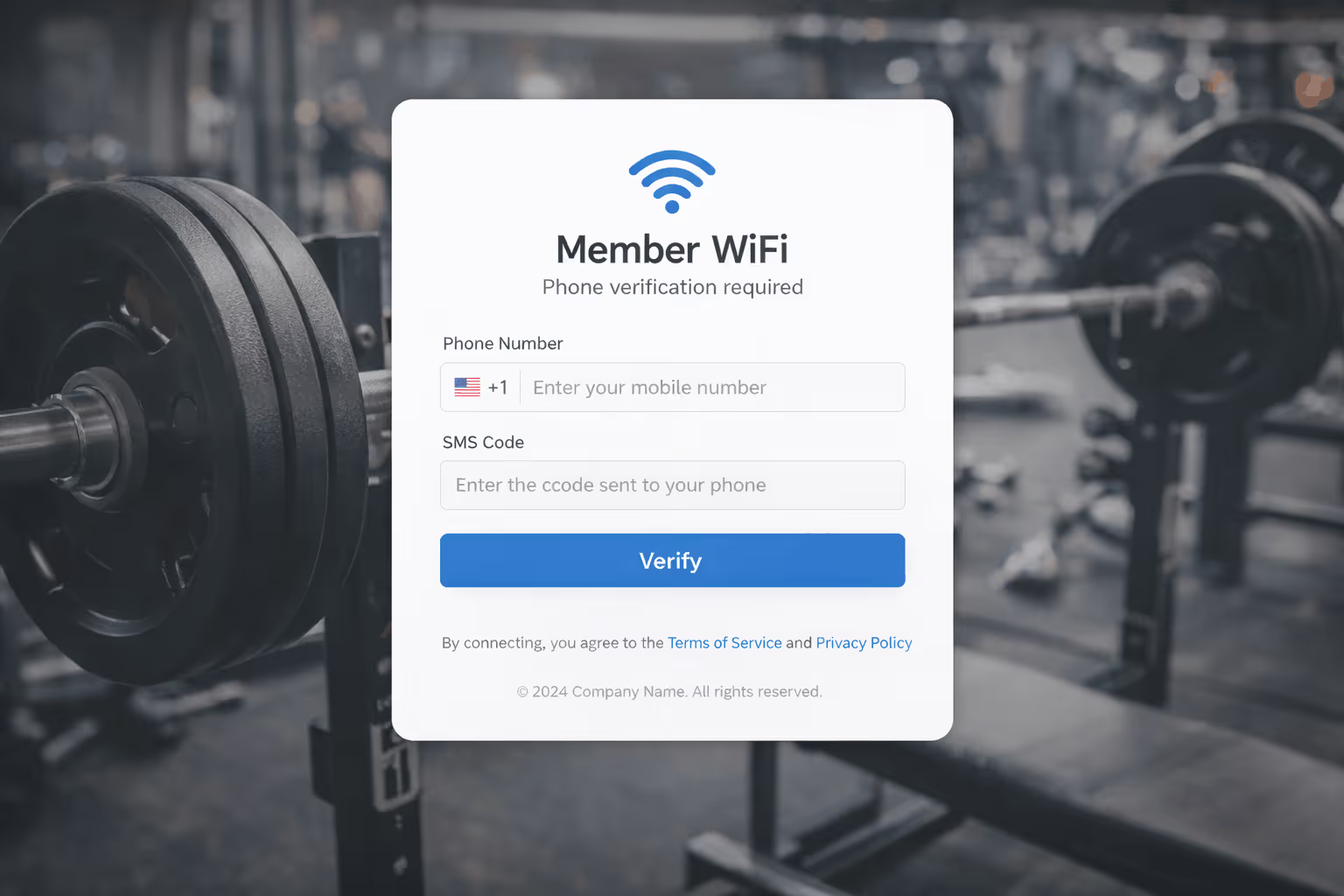
Collects: Phone number (SMS verification)
Background: Bold gradient with fitness-inspired colors
Why this works: Gyms communicate in hours, not days. Class full? Text the waitlist. Trainer cancels at 6 AM? SMS messages have a 98% open rate, compared to roughly 28% for email. Phone verification also ties each WiFi login to a real person, solving the problem of non-members sharing passwords.
Key takeaway: Choose phone collection over email when your communication is time-sensitive. SMS is the only channel fast enough for fitness businesses.
Example 3: Medical Clinic / Healthcare Waiting Room

Collects: Nothing. Terms checkbox only.
Background: Clean white with professional typography
Why this works: Patients are already handing over insurance cards and medical history. The last thing they want is their doctor's WiFi asking for an email too. Just a terms checkbox and a login button. Privacy regulations like HIPAA create additional complexity around data collection in healthcare settings. Keeping WiFi login separate from patient data is risk management, not laziness.
Key takeaway: When guests are already sharing sensitive information through other channels, a zero-collection WiFi splash page removes friction and avoids regulatory complications.
Example 4: Retail Store
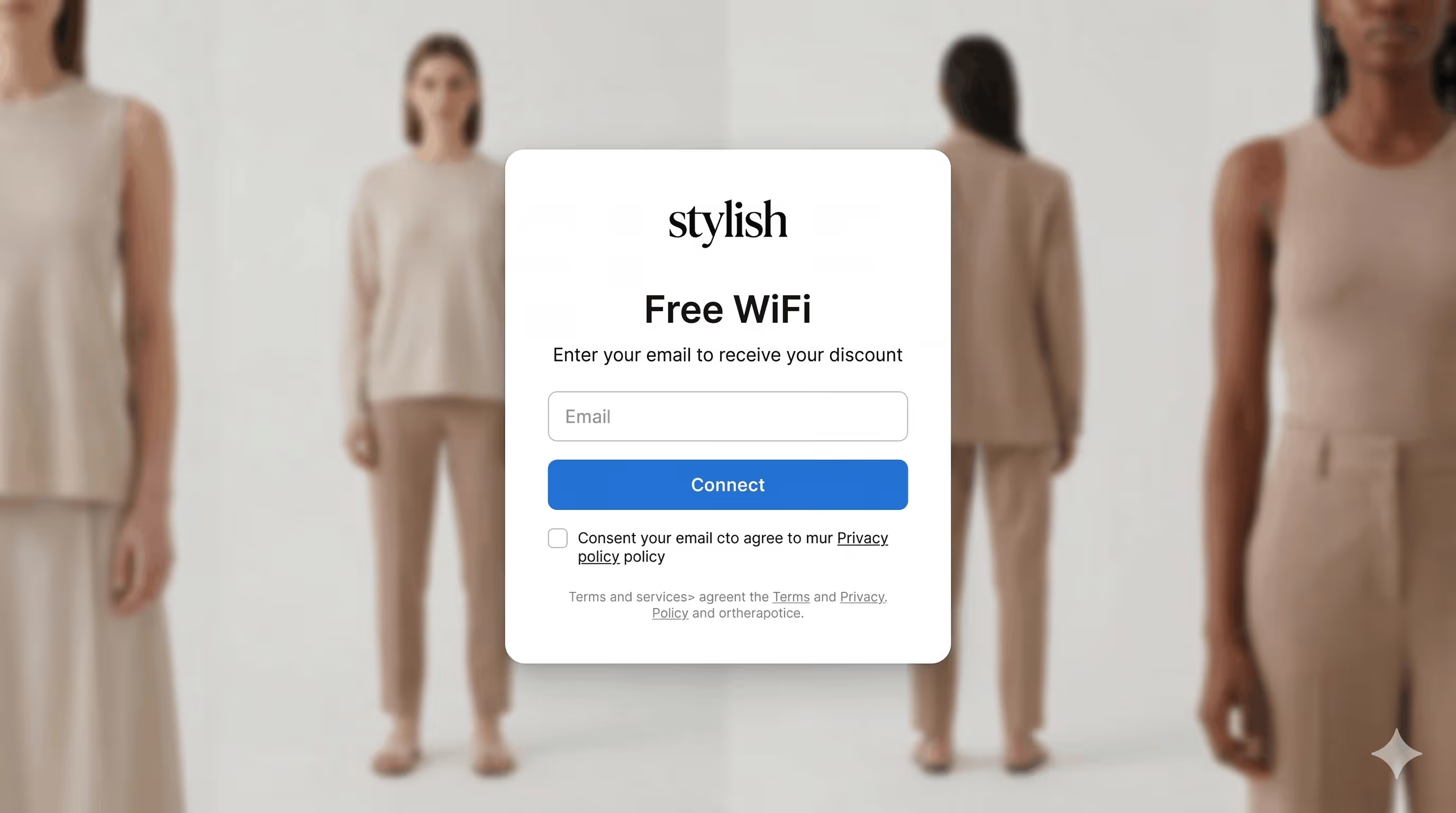
Collects: Email + automatic discount code delivery
Background: Product photography or brand colors
Why this works: People are already there to spend money. A 10% discount delivered after WiFi login isn't just email capture. It's a revenue driver that pays for itself in the same visit. One email field, one button, discount code on the redirect page. HubSpot's analysis of 40,000+ landing pages found that single-field forms consistently outperform longer ones for simple conversions. The guest gets value immediately and you get a contact for future promotions.
Key takeaway: Pair email collection with an instant reward. Retail shoppers will trade an email for a discount they can use right now.
Example 5: Airport / Transit Lounge

Collects: Phone number with SMS verification code
Background: Minimal, fast-loading, multilingual-ready
Why this works: Airports process thousands of connections daily. SMS verification confirms real users and blocks bots in under 10 seconds. No background photo (it would slow load times on congested networks). International phone formatting handles the global traveler mix automatically. For airports selling premium WiFi tiers, SMS login also establishes user identity for paid upgrades.
Key takeaway: High-volume venues need verification without friction. SMS confirms real users, blocks abuse, and creates a foundation for paid WiFi upsells.
Example 6: Residential Building / Housing Complex

Collects: Voucher code, resident name, room/apartment number
Background: Residential building exterior photography
Why this works: This isn't a marketing portal. It's access control. Property management distributes unique voucher codes to tenants and their guests. The resident name and apartment number fields tie each WiFi session to a specific unit, so if there's a network issue or misuse, building management knows exactly where to look. Guest access is handled through temporary codes that expire automatically.
No email collection, no marketing opt-ins, no promotional content. The background photo of the building itself reinforces that this is a managed residential network, not a public hotspot. It signals to anyone connecting that this WiFi belongs to the property and is monitored accordingly.
Key takeaway: Voucher-based captive portals work well for residential properties where access control and tenant accountability matter more than data collection. Property managers distribute codes per unit, keeping the network secure without requiring complex login systems.
Example 7: Library / Public Space
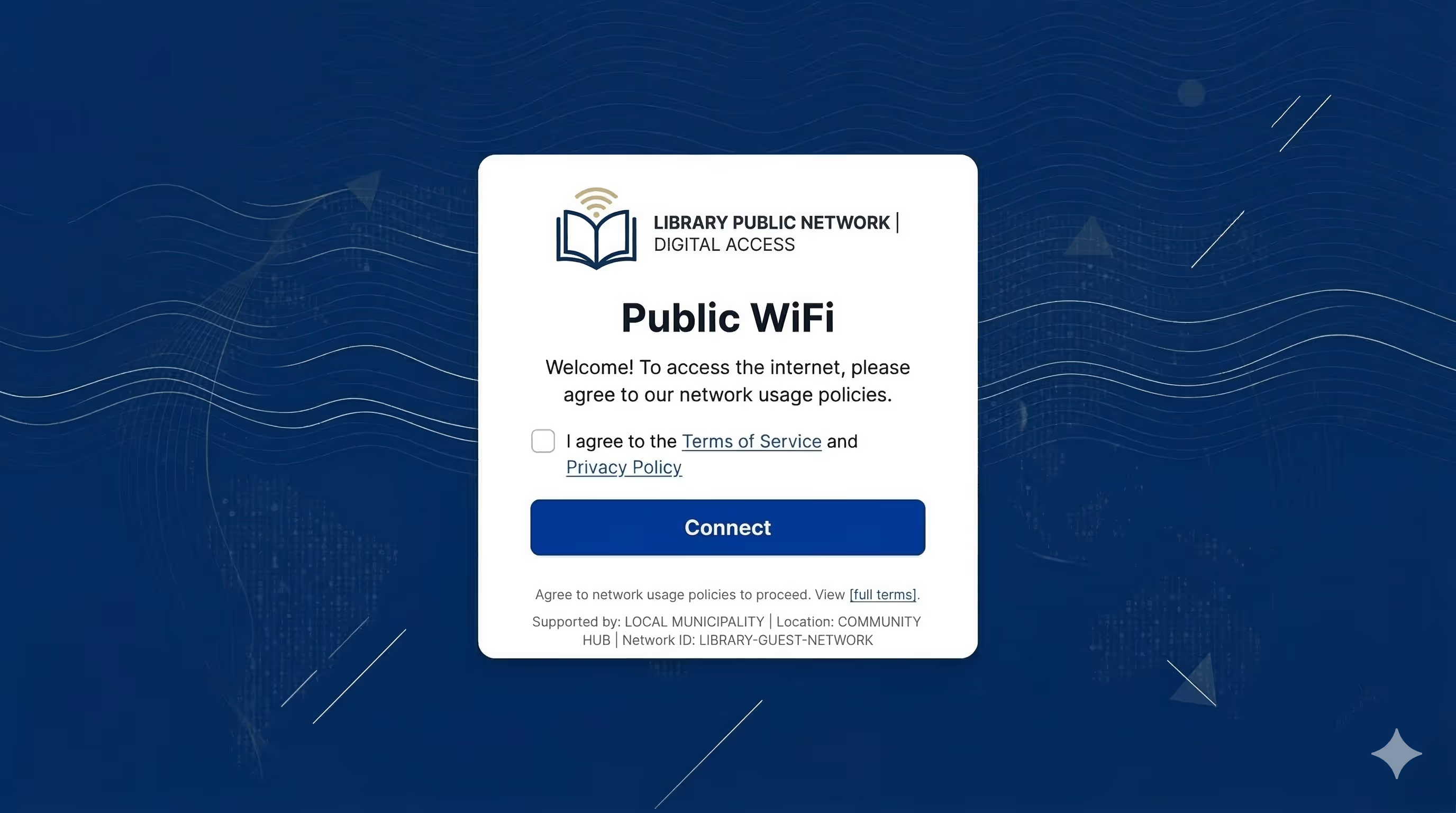
Collects: Nothing. One-click access with terms acceptance.
Background: Institutional branding with library or civic identity
Why this works: Libraries serve everyone: students, job seekers, retirees, tourists. Some don't have email addresses. Others aren't comfortable sharing data with a public institution. One click: read terms, check box, connect. The captive portal exists to display acceptable use policies and provide a legal record. Data collection would work against open, equitable access.
Key takeaway: When your mission is universal access, every form field is a barrier. Public spaces should default to one-click portals that fulfill legal requirements without excluding anyone.
Example 8: Event Venue / Conference Center

Collects: Email, first name, company name
Background: Event-branded design with sponsor logos
Why this works: Events are temporary, but contacts last forever. This portal collects attendee info for follow-up, gives sponsors visible placement on a screen every attendee sees, and reinforces event branding. Company name lets you segment post-event: corporate attendees get sales content, independents get community invitations.
Event venues swap captive portal designs per booking. Monday it's a tech conference. Friday it's a wedding with clickthrough only.
Key takeaway: Event splash pages need to be fast to set up and easy to swap. Sponsor placement on the WiFi login screen is real estate worth selling.
Example 9: Campground / RV Park
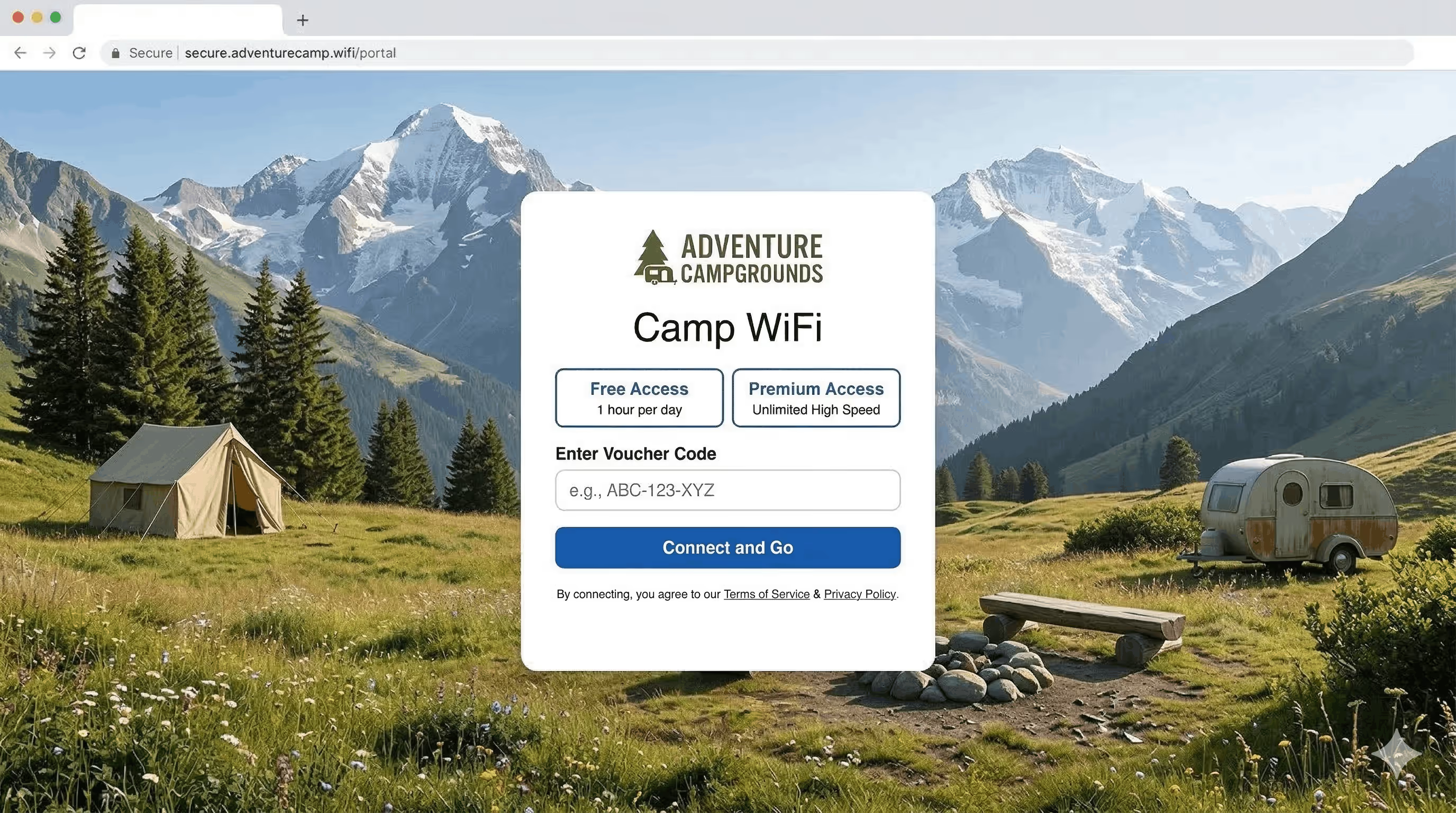
Collects: Payment information (premium tier) or voucher code
Background: Nature photography or outdoor-themed design
Why this works: Bandwidth is expensive to deliver across spread-out outdoor areas. Unlimited free WiFi isn't sustainable. This splash page presents tiers: basic free for email and maps, paid premium for streaming. Clear pricing and Stripe-integrated payment make the upgrade seamless.
A park with 200 sites selling premium access at $5/day generates meaningful revenue from a service they'd otherwise provide at a loss.
Key takeaway: When WiFi delivery is expensive, tiered paid access turns a cost center into revenue. Clear pricing on the captive portal makes conversion seamless.
Example 10: Car Dealership Service Lounge
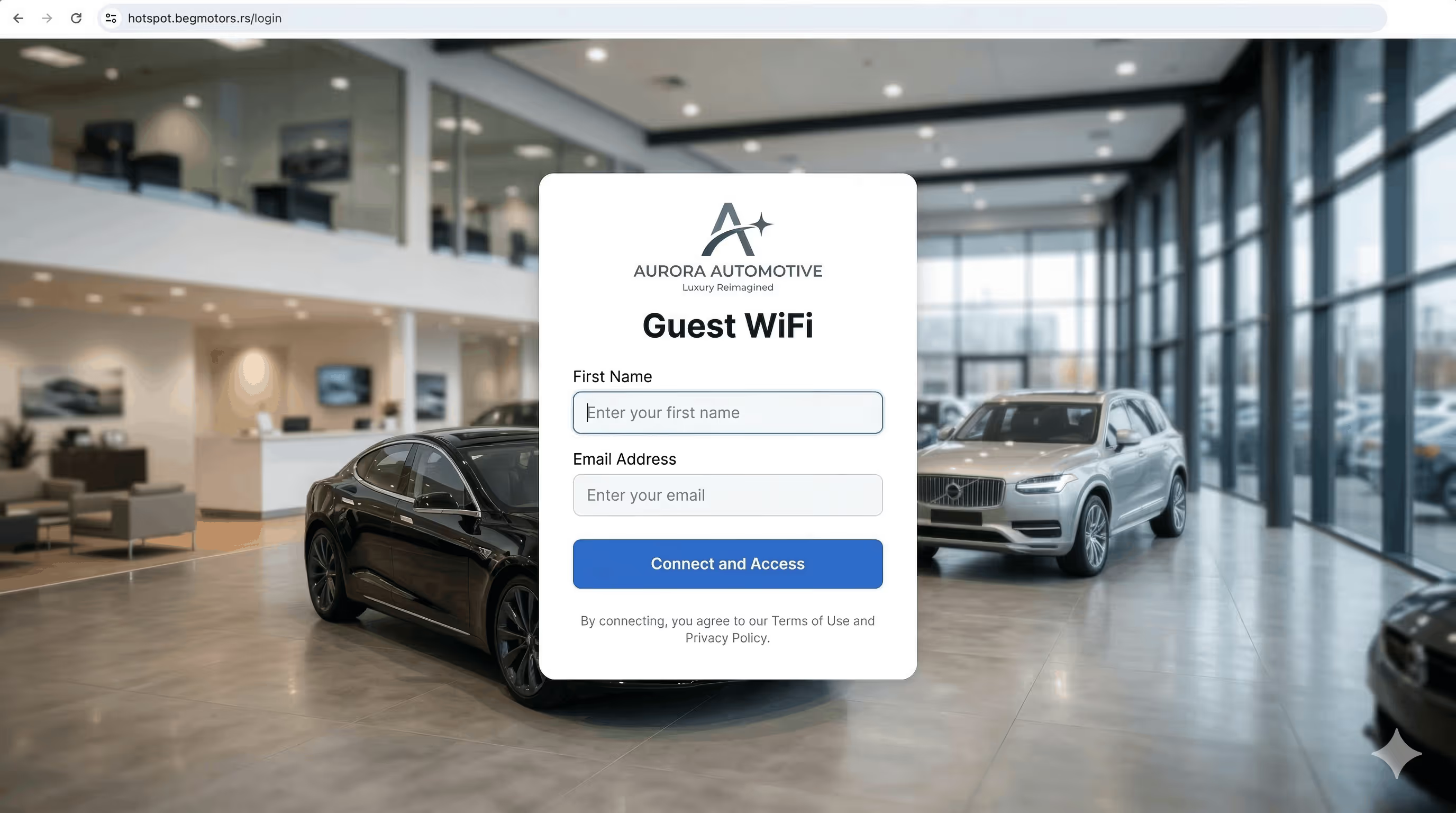
Collects: Email, first name
Background: Automotive-branded, clean and professional
Why this works: Customers sit for one to three hours waiting for service. They want WiFi. You want their contact for service reminders, new model announcements, and trade-in offers. Two fields keep it fast. The post-login redirect page can showcase current inventory, turning wait time into browsing time.
Key takeaway: Service businesses with built-in wait times have a natural WiFi advantage. Keep the form minimal and make the redirect page work as a sales tool.
What Type of Captive Portal Does Your Business Need?
These 10 examples reveal that WiFi splash pages aren't just marketing tools. They fall into four categories, and knowing yours is the first design decision:
Marketing-first (coworking, retail, dealership, events): Collect useful data, add incentives, optimize for list quality.
Verification-first (gym, airport): Confirm real people and block abuse. Phone numbers beat emails because they're harder to fake.
Access control (senior living): Manage who connects, not what you can sell them. Voucher codes create accountability.
Utility (clinic, library): Get out of the way. Fewer fields is better. Some environments are simply wrong for data collection.
The technical setup is identical across all four. Same router configuration, same dashboard, same splash page editor. The only difference is what you put on the page and what you leave off.
Frequently Asked Questions
How many form fields should my WiFi splash page have?Keep visible fields under four. Research from HubSpot across 40,000+ landing pages shows completion rates drop as fields increase. For captive portals specifically, guests are even less patient than website visitors because they just want internet access.
Can I use different splash page designs for different locations?Yes. Spotipo lets you create unique captive portal designs per site. A hotel chain could use email collection at leisure properties and clickthrough at business properties, all managed from one dashboard.
Do I need a different setup for paid vs. free WiFi?Spotipo handles both from the same platform. Offer a free tier with data collection and a premium paid tier through Stripe integration, all on one splash page.
Can I change the captive portal design for temporary events?Yes. Changes apply immediately across all connected access points. No router reconfiguration needed.
Does SMS phone verification work internationally?Spotipo supports international phone number formatting with automatic country code detection. SMS verification works globally through integrated SMS gateway providers.
Which routers support these splash page types?All captive portal types work with all 30+ supported router brands, including UniFi, MikroTik, Cisco Meraki, Aruba, Ruckus, TP-Link Omada, Fortinet, and Teltonika. The portal type is configured in Spotipo, not on the router.
Build Your WiFi Splash Page Today
A coworking space and a medical clinic both have WiFi. They should not have the same captive portal.
Pick the example closest to your business. Decide whether you're building for marketing, verification, access control, or revenue. Then build around that goal.
Start your free 14-day trial. No credit card required. Your splash page goes live in under 10 minutes.


