


TL;DR: Your café's free WiFi is already doing one job, giving people internet access. A café captive portal makes it do three more: capturing customer contact data through guest WiFi email capture, promoting offers at the exact moment guests are paying attention, and building a marketing list that keeps working long after they've finished their coffee. This playbook covers how to set it up, what to collect, and how to turn those logins into repeat business.
Here's something most café owners get wrong.
They look at the WiFi bill every month and think: cost. Just another line item, right up there with electricity and coffee beans. And honestly, I get it. That's how it's framed, that's how it feels. But every time a customer connects to your coffee shop WiFi, they're handing you something more valuable than their order. Their attention, their contact details, and implicit permission to stay in touch.
The problem is, without a captive portal, all of that just disappears. You're offering free WiFi for your café and getting absolutely nothing back.
This post is specifically for coffee shops and cafés, not restaurants, not hotels. The dynamics are different here, and the playbook needs to reflect that. Your customers don't come in, eat, and leave. They stay. A student with a laptop sits for three hours. A remote worker comes back every Tuesday. These aren't one-and-done visitors. They're dwell-time regulars, and they're your highest-value marketing targets. Coffee shop guest WiFi, when it's set up properly, is built around exactly that reality.
.avif)
What Is a Café Captive Portal, and Why Do Coffee Shops Need One?
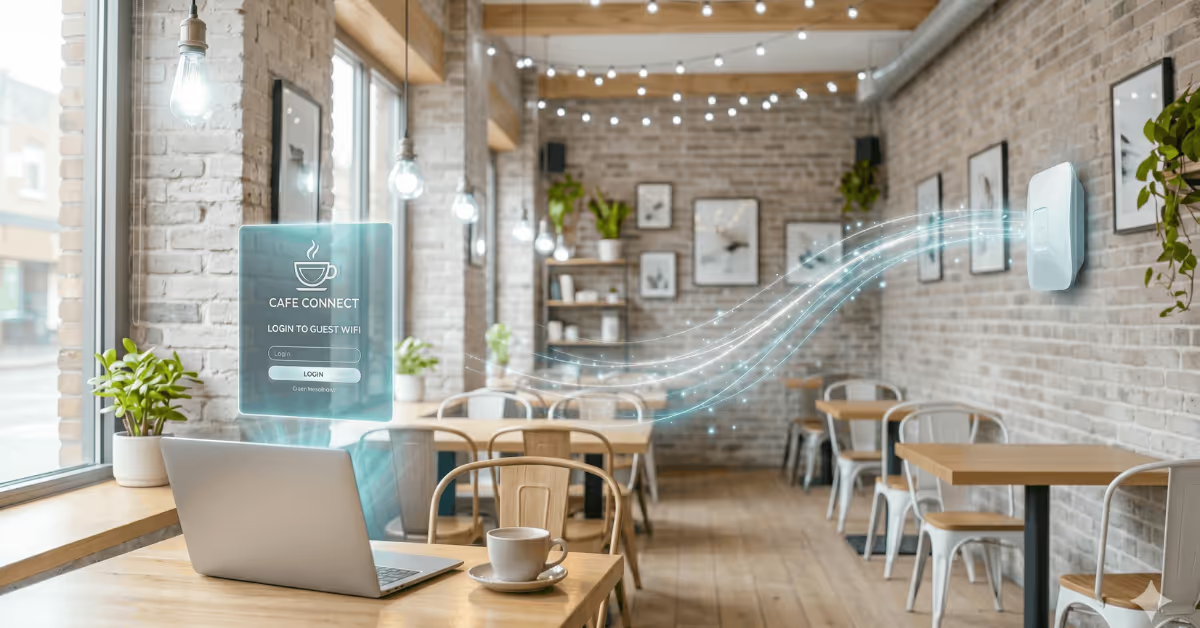
A captive portal for guest WiFi is the login page customers see when they first connect to your network. Instead of going straight to the internet, they land on a branded page, your logo, your colors, that asks them to authenticate before they get access. Usually that means entering an email address, tapping a social login button, or accepting your terms of service.
That's the whole mechanism. Simple.
But here's what makes it genuinely powerful for coffee shops: it captures customer data passively, at scale, with zero effort from your staff. No loyalty card to hand out, no QR code to explain, no discount to offer upfront. The guest wants café WiFi. The portal gives them café WiFi. In the middle, you collect a permission-based marketing contact.
And that matters more than it might sound. Email lists built through guest WiFi email capture are opt-in by nature. The guest initiates the exchange. That makes the data cleaner, the consent more explicit, and any marketing you do with it far more effective than a cold list you bought or scraped together.
Choosing the Right Login Method for Your Coffee Shop Guest WiFi
Not every login type works equally well in a café, and the right choice depends on what you want to collect and how smooth you need the experience to feel.
Email capture is the default, and it's the most valuable for ongoing coffee shop WiFi marketing. You ask for a name and email address before granting access. WiFi email capture in its simplest, most effective form. You can add custom fields if you want, like a phone number or even a preference question, but keeping the form short converts better. Name and email is the sweet spot.
Social login, Facebook or Google, is a great secondary option. One tap, no typing, and you still get a verified email address. It works especially well in high-footfall cafés where speed matters more than rich data collection.
Voucher login is genuinely underused in cafés, and it's worth considering. Print a WiFi code on receipts for orders above a certain value. Guests who buy first, connect second. It's a quiet incentive that ties café WiFi access directly to a purchase without any fuss.
And there's clickthrough, where the guest just accepts your terms and gets access with no data collected. If data collection is complicated in your region, it's a reasonable fallback. But it leaves a lot of marketing value on the table, so it's really a last resort.
For most independent coffee shops and small chains, email capture as the primary method with social login as a secondary option on the same splash page is the combination that works best.
What Your Splash Page Should Actually Show
Here's a mistake a lot of cafés make: they configure their splash page once during setup and never touch it again. Which is a shame, because that page is prime digital real estate.
Think about it. A café doing 200 covers a day means 200 guaranteed impressions on a screen where the person's attention is fully directed at you, right before they get what they came for. That's a more captive audience than any social post or email you'll ever send.
You can show a daily special. "Free cookie with any hot drink before 11am," seen by every single person connecting that morning, at zero additional cost to run. You can promote an upcoming event before guests have even opened a browser tab. An open mic night, a new seasonal menu, a coffee cupping session. You can add a loyalty program sign-up prompt if you run a stamp card, or a simple "follow us on Instagram" ask that quietly builds your social audience in parallel.
The discipline is to treat that splash page as a rotating coffee shop WiFi marketing channel, not a static screen you configured once and forgot about.
Guest WiFi Email Capture: What You're Building and What to Do With It
.avif)
Every email that comes through your café captive portal is a first-party marketing contact. You own it, the customer consented to it, and you can reach them directly. No algorithm, no ad spend, no platform changing its rules on you next quarter. If you want a broader look at how guest WiFi drives revenue beyond email, the complete guest WiFi revenue guide covers every model in detail.
What does a well-built café WiFi list actually unlock?
Re-engagement campaigns, for one. A customer who visited twice last month and hasn't been back in six weeks, you know they exist, because their email is in your database with timestamps attached. A simple "we miss you" message with a small incentive can bring them back. That's a campaign you couldn't run without the WiFi data.
Event promotion becomes much easier too. Planning a live music night or a limited-edition menu launch? Your WiFi list is your most qualified audience. These are people who have physically been in your café. They already like the place.
Seasonal campaigns, new autumn menu, Christmas gifting, summer cold brew, land differently when they go to a list of actual customers rather than cold subscribers. That warmth shows up in open rates and conversions.
And with a platform like Spotipo, you can see how often individual guests have connected to your coffee shop WiFi network. Your daily regulars are a different segment than someone who came in once six months ago. That kind of segmentation usually requires a CRM and a lot of manual work. Here, it's built automatically from guest WiFi email capture data.
On GDPR: Spotipo handles it automatically. The opt-in checkbox and privacy notice are part of the login flow itself. Consent is captured and recorded without any separate legal process.
The Bandwidth Problem Nobody Likes to Talk About
.avif)
Let's be honest. If you've been running free WiFi for your café with no limits for any length of time, you've had that customer. The one who arrives at 9am, occupies a four-person table all day, and is clearly running a full remote job from your premises. Streaming. Video calls. The works.
It's awkward to address directly. And it degrades the experience for everyone else in the room.
A café captive portal solves this without a single uncomfortable conversation. You set a session limit, one hour at standard speed, say. When it expires, the guest is prompted to re-authenticate. You can offer a second hour free, or make it a paid upgrade. The portal becomes your quiet front-of-house policy enforcer. No confrontation. No passive-aggressive signs on the wall. Just a system that handles it automatically.
Setting Up a Café Captive Portal: What You Actually Need
The setup process is simpler than most people expect. Spotipo is a guest WiFi software platform that works with 30+ router brands, including UniFi, MikroTik, TP-Link, Cisco Meraki, and plenty of others. If you already have one of those, there's a good chance you don't need new hardware.
You sign up, connect your router, and Spotipo's setup wizard builds a branded splash page automatically using your logo and colors. You pick your login type, set your session limits, and turn on WiFi email capture. If you're running UniFi specifically, there's a step-by-step guide to collecting guest emails with UniFi and Spotipo that walks through the full configuration. From that point, every guest who connects adds themselves to your marketing database.
Those contacts flow directly into whatever email platform you use, Mailchimp, Klaviyo, your CRM, without a manual export step. The whole initial configuration takes somewhere between thirty minutes and an hour.
The Numbers That Actually Make This Worth Doing
A café serving 150 customers a day, six days a week, sees roughly 4,500 visitor sessions per month. Assume half connect to the coffee shop WiFi. That's 2,250 connections, and that's a conservative estimate for a café with a known WiFi-using crowd. Assume 70% complete the login form. That's around 1,575 new or returning email contacts per month, building up automatically.
In a year, without a single paid acquisition campaign, you've got a list of 15,000+ qualified, consent-based contacts. People who've sat in your café and decided they liked it enough to come back.
Apply even one re-engagement campaign per quarter to that list, and the platform pays for itself many times over. The café WiFi was already running. The captive portal is just the layer that makes it useful.
.avif)
FAQ
What is a captive portal for guest WiFi and how does it work in a coffee shop?A captive portal for guest WiFi is a login page that intercepts every new device connecting to your coffee shop WiFi network. Before getting internet access, the guest sees your branded splash page. They authenticate with their email, a social login, or a voucher code, and you automatically gain a marketing contact. It runs entirely in the background with zero staff involvement.
Does a café captive portal slow down the WiFi experience for guests?No. The portal only intercepts the initial connection. Once authenticated, the guest has full network access at whatever speed you've provisioned. The login itself takes a few seconds.
Do I need a new router to use a captive portal for guest WiFi?Not necessarily. Spotipo works with 30+ router brands including many that cafés already use, UniFi, MikroTik, TP-Link, and others. Check the compatibility list before assuming you need new hardware.
What happens if a guest doesn't want to give their email?You can configure the portal to allow clickthrough login as a fallback. They accept your terms and get access without submitting any details. Nobody gets locked out. The portal is designed to be frictionless while maximizing guest WiFi email capture from the customers who are willing.
Is the data collected through the portal GDPR-compliant?Yes, when using a platform like Spotipo. The consent mechanism, opt-in checkbox, privacy notice, terms of service, is built into the login flow and generates a compliant record of consent automatically.
Can I show different offers on the splash page at different times of day?Yes. You can update the splash page as often as you like. A morning promotion and a different afternoon offer are just content changes. No technical work required.
What if a regular customer doesn't want to log in every visit?Spotipo can be configured to remember authenticated devices for a set period. A regular who authenticated this week reconnects seamlessly until the window expires. They won't be prompted every single visit.
Turn Your Coffee Shop WiFi Into a Lead Capture Channel
Your café WiFi is already on. It's already connecting customers. The only question is whether those connections are turning into anything for your business, or just disappearing.
A café captive portal built on Spotipo turns that idle infrastructure into your best-performing guest WiFi email capture channel. Automated, GDPR-compliant, and running every hour you're open.
Start your free 14-day trial at spotipo.com and have your coffee shop WiFi marketing setup live before the end of the week.


