


The best guest WiFi setups in 2026 share a pattern: guests barely notice they are connecting. The portal loads fast, asks for almost nothing, and gets out of the way. Behind the scenes, though, the network is properly segmented, the compliance boxes are checked, and the business is collecting useful data from every login. That gap between what the guest experiences and what the business gets is where the real work happens.
This guide covers how to get there, whether you are building a guest network from scratch or auditing one that has been on autopilot for a while.
What has actually changed about guest WiFi in 2026?
Most "best practices" articles for guest WiFi could have been written in 2019. VLANs, firmware updates, client isolation. All still true. But a few things have shifted enough to change how you should think about your setup.
The biggest shift is in how guests expect to connect. QR-based onboarding is now mainstream. "Scan to join WiFi" printed on a table topper or digital sign cuts onboarding time dramatically compared to typing passwords or hunting for an SSID. For cafes, hotels, and retail stores, a QR code that deep-links into the captive portal flow feels like part of the experience rather than an IT hurdle.

Passpoint and OpenRoaming are gaining traction in larger venues. Once a device is onboarded, it auto-connects on future visits with no splash page at all. Not every business needs this, but if you operate multiple locations or serve repeat visitors, it is the direction things are heading.
Regulatory pressure has also tightened. GDPR enforcement has matured, CCPA keeps expanding, and newer privacy frameworks in Asia and Latin America mean that businesses operating across borders need tighter control over consent flows and data retention. The era of "collect everything and sort it out later" is over.
How should you set up your guest network?
Before you think about splash pages or login methods, the network itself has to be right. This is unglamorous work, but it is where most problems start.
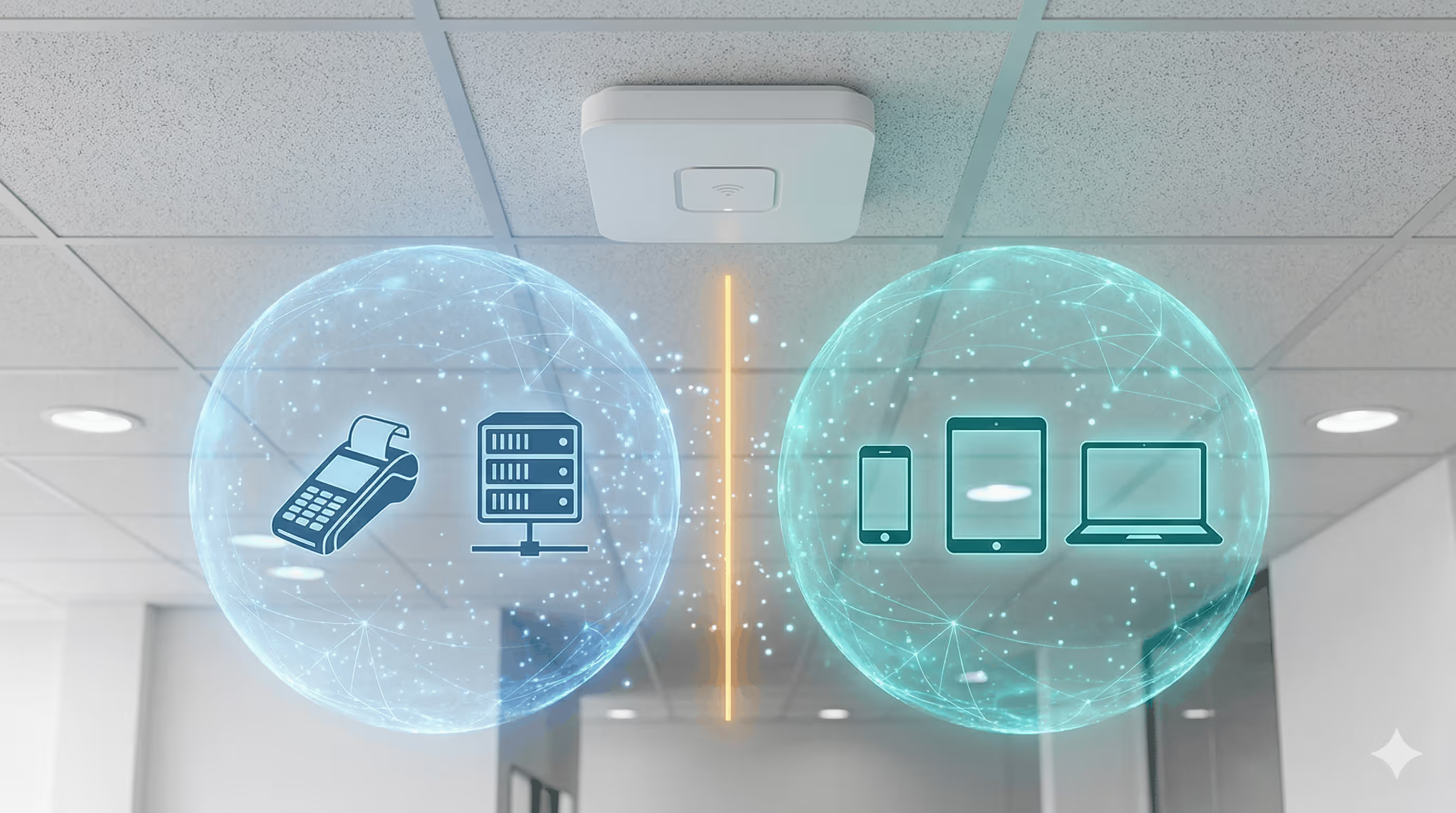
Put guest traffic on its own VLAN. This is the single most important decision. Your guest WiFi must be isolated from business-critical systems: POS terminals, internal file servers, employee devices, security cameras. A guest with a compromised phone should never be able to reach your back-office network. Every major router platform handles this natively, including UniFi, MikroTik, Meraki, Aruba, Ruckus, and Omada.
Cap bandwidth per user, not just per SSID. A per-SSID cap alone still lets one person with a 4K stream ruin the experience for thirty others. Set per-user limits that leave enough headroom for browsing and video calls without letting anyone monopolize the pipe.
Cover the spaces guests actually use. Dead zones in the lobby, patio, or waiting room generate complaints. More APs at lower power tends to work better than fewer cranked up, because you get more consistent coverage and less interference.
Your controller has to stay online. If it goes down, new guests cannot authenticate. For cloud-managed setups, your internet uplink is a single point of failure for the portal. If you are behind CGNAT or Starlink, look into reverse tunnel setups that keep the portal reachable regardless.
What does security actually look like on a guest network?
You already know the basics: client isolation, firmware updates, authentication before access. So instead of repeating them at length, here is where to focus your attention.
Never run an open network with no login step. Even a basic clickthrough agreement creates a record of sessions and gives you a legal layer. But for most businesses, you want something beyond clickthrough, because the real value of a guest network is knowing who is on it.
Enable client isolation and test it. Turning on client isolation prevents guest devices from seeing or talking to each other. Most APs support this as a toggle. But "enabled" and "working" are not always the same thing, especially after firmware updates or config changes. Test it periodically by connecting two devices and confirming they cannot ping each other.
Patch your firmware on a schedule. Outdated router firmware is one of the most common WiFi attack vectors and one of the most neglected. Set a quarterly reminder to check for updates on your access points, controllers, and any external portal software.
Watch for anomalies. You probably will not catch a sophisticated attacker through your dashboard. But you will notice a device consuming 50x normal bandwidth, or a spike in failed login attempts. Cloud captive portal platforms surface these patterns automatically.
How do you handle GDPR and privacy compliance?
If your captive portal collects emails, phone numbers, or any other personal data, compliance is not optional. And if you are using a captive portal at all, you are almost certainly collecting personal data.
Consent has to be explicit and specific. That means an unchecked checkbox the guest actively selects, with plain-language text explaining what data you collect, what you will do with it, and who can access it. Pre-checked consent boxes do not count under GDPR and can get you fined.
Show your terms and privacy policy before the guest submits anything. A link to your terms and a consent checkbox fit cleanly into the login flow without adding much friction, as long as the language is clear and the checkbox is not buried.
Collect the minimum you will actually use. Every form field you add lowers completion rates. Email-only capture (with name as optional) converts significantly better than multi-field forms. Add a phone number, date of birth, and postal code, and watch that rate collapse. If you only plan to send marketing emails, ask for an email and a consent checkbox.
Have a real process for data deletion requests. GDPR gives people the right to request deletion of their data, and you need to be able to actually do it within the required timeframe. If your guest data lives in five different tools with no central record, that is a compliance gap waiting to cause problems.
Use a platform that handles compliance updates for you. Regulations change. Privacy policy templates go stale. Managing consent screens and retention schedules manually across locations is error-prone. Spotipo automates GDPR compliance with built-in consent mechanisms and automatic policy updates, which means your portal stays compliant without someone on your team remembering to review it every quarter.
What actually makes a captive portal convert well?
This is the section most guest WiFi guides skip entirely, or they cover it with vague advice like "keep it simple." Here is what we have learned from working with hundreds of businesses running Spotipo portals across 100+ countries.
Start with the smallest possible form and justify every field you add. The default should be email-only, or email plus first name at most. If you want more data, collect it through progressive profiling on later visits. A guest who has visited three times will give you their phone number. A first-time visitor will not.
Offer two to three login methods, not six. A "button zoo" of email, Facebook, Google, Apple, SMS, and voucher options confuses people. Pick email as the default (it works everywhere), add one social login option for one-tap convenience, and include voucher or paid access only if your business model requires it. The goal is one clear path with one alternative, not a decision tree.
Test on real phones, not browser emulators. iOS and Android handle captive portal detection differently. iOS opens the portal in a limited in-app browser (the CNA) that behaves differently from Safari. Android versions vary. A splash page that works perfectly in Chrome on your laptop can break on a guest's iPhone. Test every change on actual devices before pushing it live.
Configure a walled garden properly. Your portal needs certain domains accessible before authentication: your CDN, social OAuth endpoints, and analytics. If these are not whitelisted, the portal loads slowly or breaks entirely.
Auto-recognize returning guests. If someone logged in yesterday, do not make them fill out the form again. Returning-user auto-login is one of the biggest friction reducers available. Spotipo handles this through MAC address recognition, so repeat visitors get straight online.
After login, send guests somewhere useful. Do not land them on a generic "you are now connected" message. Redirect to a page with a current promotion, loyalty sign-up, or your venue's menu. This is the one moment you have their full attention.
How do you turn guest WiFi into a marketing channel?
The guest data your portal collects is only valuable if it actually goes somewhere. A spreadsheet of email addresses that nobody touches is not a marketing channel.
Pipe every login into your CRM or email platform automatically. Guest emails should flow into Mailchimp, HubSpot, Klaviyo, Brevo, or whatever you use, without anyone copying a CSV. Spotipo integrates directly with these platforms, and supports Zapier for anything custom.
Use your splash page for promotions. Your captive portal is the one screen every guest has to look at. A coffee shop can put a pastry deal on it. A hotel can highlight a spa package. Keep it light: one short line and a visual is enough, because the guest's primary goal is getting online.
Build automated sequences off the first login. A welcome email after a guest's first visit. A return offer three days later. A feedback request after their third visit. These work because they are tied to actual behavior, which makes them more relevant than a cold blast. The WiFi upsell model takes this further: offer a limited free session, then prompt the guest to upgrade to paid access before it expires.
If your business model supports it, sell WiFi access directly. Airports, event venues, and some hotels generate real revenue from tiered packages: free basic, paid premium. With Stripe integrated into your portal, you can create a payment-gated hotspot and start earning from day one.
Track the metrics that actually matter. Impression-to-login rate (what percentage of people who see the portal complete login), form abandonment (where people drop off), and return visitor rate. If your login completion rate is low, your form is probably too long or your portal is broken on certain devices.
What should you keep checking after launch?
Guest WiFi tends to get set up once and then ignored until someone complains. A few regular checks prevent that.
Connection success rate. If it drops, figure out whether the problem is technical (portal failing to load, authentication errors) or UX (too many fields, confusing layout). These two causes look the same from the outside but require very different fixes.
Device-specific error rates. A portal update that works on Android might break on iOS, or vice versa. Pull error rates by device type at least monthly. The CNA behavior on iOS is the most common source of surprise breakage.
Bandwidth patterns. Know when your peak hours are and whether per-user limits make sense during those hours. If guests consistently get slow speeds at lunch, you need to adjust limits or add AP capacity.
Firmware and certificate expiry. SSL certificates expire. Firmware falls behind. Set calendar reminders for both. An expired certificate will cause every modern browser to throw a scary warning before your portal even loads.

The quick-reference checklist
Print this out. Tape it to the server rack. Use it when you are setting up a new location or reviewing an existing one.
Network: Guest VLAN isolated from internal systems. Per-user bandwidth caps set. AP coverage confirmed in all guest-facing areas. Controller online and monitored. Reverse tunnel configured if behind CGNAT or Starlink.
Security: Authentication required before internet access. Client isolation enabled and tested. Firmware patched quarterly at minimum. Anomaly monitoring active on captive portal dashboard.
Compliance: Explicit, unchecked consent checkbox on splash page. Terms and privacy policy linked and accessible. Only essential data fields on the form. Data deletion process documented and tested. Compliance review scheduled quarterly.
Captive Portal CRO: Mobile-first design, loads under 3 seconds. Branded with your logo and colors. Two to three login methods maximum. Returning guests auto-recognized. Post-login redirect to a useful page. Walled garden configured for OAuth and CDN domains. Tested on real iOS and Android devices.
Marketing: Guest data flowing automatically to CRM/email platform. Splash page carrying a current promotion. Post-login email sequence configured. Paid WiFi tiers set up if applicable. Impression-to-login rate and form abandonment tracked.
Getting started
Spotipo handles most of what this guide covers out of the box. It works with 30+ router brands (UniFi, MikroTik, Meraki, Aruba, Ruckus, Omada, Fortinet, DrayTek, Teltonika, and others), plugs into your email and CRM tools, manages GDPR compliance automatically, and gives you a branded splash page without needing a developer.
Start a free 14-day trial and see how much you can get running in an afternoon.


